How to Load Money in a Forex Card: Know Each Step
 Robert J. Williams
 Alexandra Winters
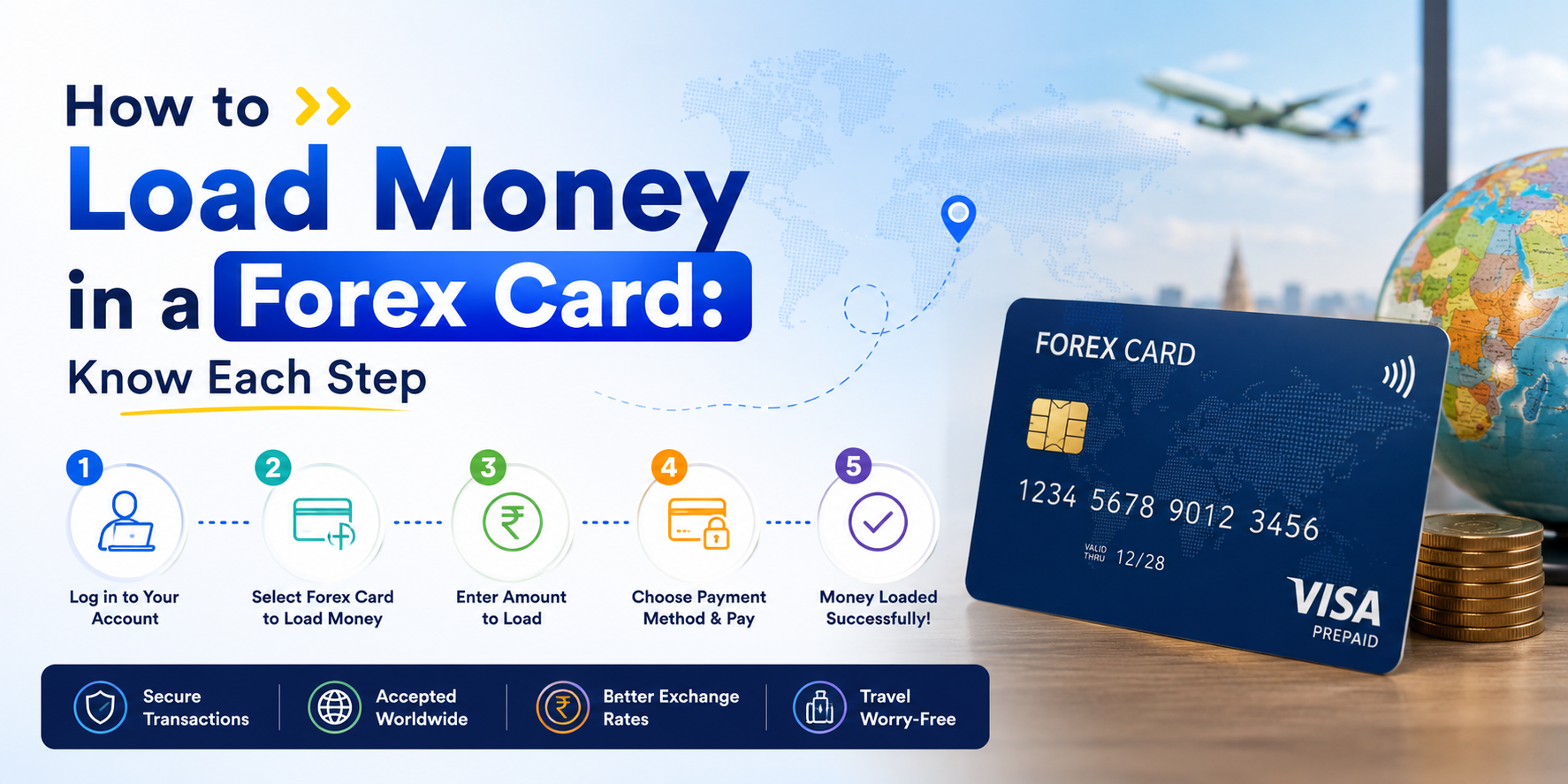
You’re two days from your flight and you’ve just realised the forex card you ordered last month is sitting at home — empty. Loading it through a branch at this point could take until tomorrow. Load it online and the money might be available in 4-6 hours. That difference matters more than most people realise until they’re standing at the airport exchange counter paying tourist rates instead.
Here’s exactly how to load money in a forex card, whether it’s your first time or you’re topping up before a trip.
What You Need Before Loading Your Forex Card
Getting this sorted before you start saves a failed transaction 20 minutes later.
- A linked and verified bank account: Your source bank account must be pre-registered with your forex card provider. If you haven’t added it yet, allow at least 48 hours for the bank-side verification to clear before your intended load date.
- Valid KYC documents: Passport and a recent bank statement are standard for most providers. For first-time loads, some require Form A2 (the declaration form for outward remittances) when the amount exceeds USD 250.
- Your card details: Card number, CVV, and registered mobile number for OTP authentication.
- LRS headroom: India’s Liberalisation Remittance Scheme permits individuals to remit up to USD 250,000 per financial year for permitted current and capital account transactions (RBI, 2024). Most travellers are nowhere near this limit, but students loading semester-worth amounts should track it.
One thing most people miss: if you’re loading currencies beyond your card’s primary denomination, check the cross-currency markup your provider charges. That 2-3% on a USD card when you’re actually spending euros adds up across a two-week trip.
How to Load Money in a Forex Card: 3 Methods
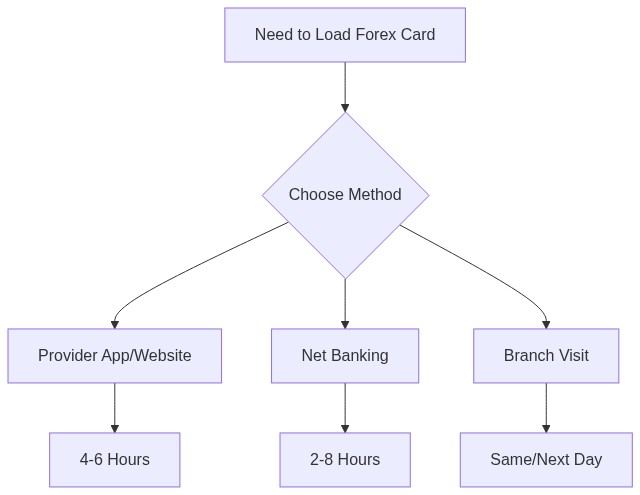
Method 1: Online Through Your Provider’s App or Website
This is the fastest route and works regardless of which bank issued your card. Providers like HDFC, Axis, Thomas Cook, and BookMyForex all offer app-based loading.
- Log into your provider’s app or web portal using your registered credentials
- Select “Reload Card” or “Top Up” (the label varies, but it’s usually under the Forex Card section of the dashboard)
- Choose the currency you want to load. Multi-currency cards show a dropdown with supported currencies. Select only what you’ll actually spend, not a catch-all load across eight currencies
- Enter the amount. At this step, the provider shows you a live exchange rate. Thomas Cook locks the rate for 48 hours after confirmation; most bank-issued cards execute at the rate prevailing at settlement, not at quote time. Know which one you’re dealing with before you confirm
- Select your linked bank account as the funding source and review the total debit (conversion + reload fee + any applicable markup)
- Confirm and authenticate via OTP or biometric
Processing time: 4-6 hours for most online loads during business hours. Loading the night before a morning flight is fine. Loading two hours before your cab is not.
Method 2: Through Net Banking
If your forex card and bank account are with the same institution, the net banking route often settles faster. HDFC ForexPlus holders using HDFC net banking, or Axis Multi-Currency holders on Axis’s portal, both benefit from this.
Log into net banking, navigate to Cards, then Forex Card, then Reload. Your card appears automatically if it’s linked. Enter amount, confirm rate, authenticate.
The advantage: intra-bank transfers can settle in 2-4 hours because there’s no NEFT/IMPS hop between institutions. The card credit is still the bottleneck, but the funding leg moves faster.
Method 3: At a Branch
Walking into a branch is slower, but it gives you a chance to negotiate on the rate spread for a larger sum, say ₹3 lakh or more. Branches have some room, and asking costs nothing.
Bring your passport, the physical forex card, and cash or a cheque. RBI rules cap cash purchases of foreign exchange at ₹50,000 per transaction (FEMA notification); amounts above that need to come from a bank account via cheque, demand draft, or RTGS. Fill Form A2 for amounts above USD 250 equivalent.
Arrive before early afternoon. Branches that process your load by 2 PM typically credit same-day. After that, it’s next business day.
How Long Does Loading Take?
The answer traders and travellers actually need isn’t “it depends” — it’s a table they can plan against.
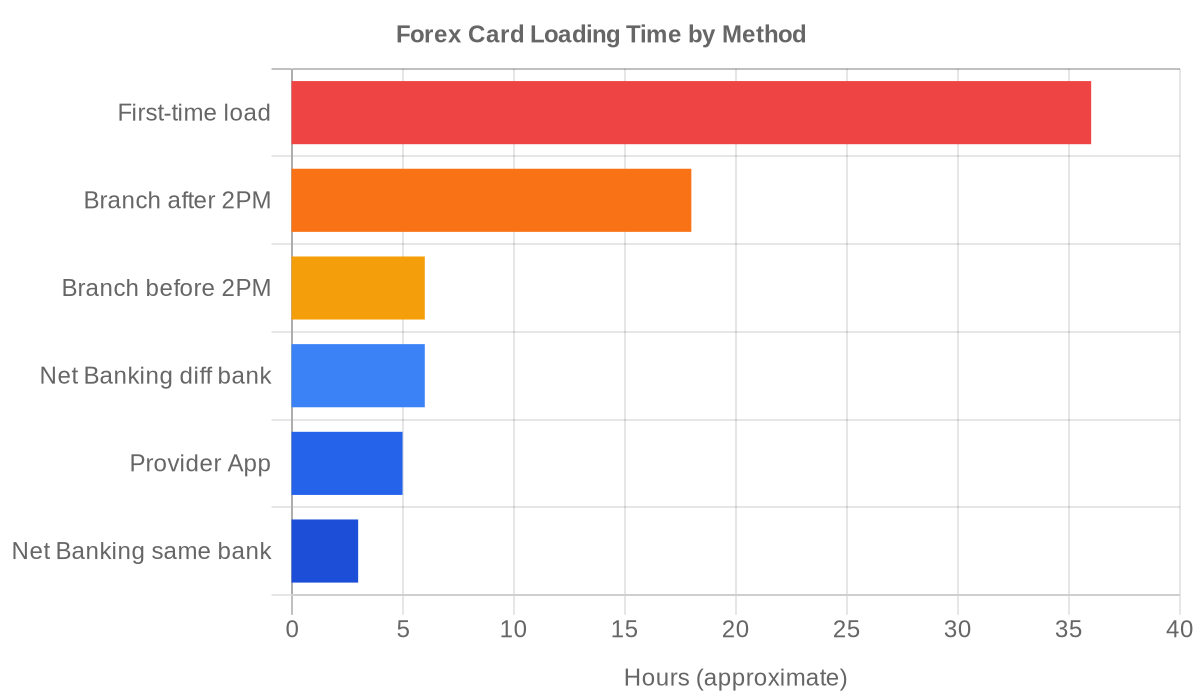
| Method | Typical Processing Time |
|---|---|
| App/website (business hours) | 4–6 hours |
| Net banking (same bank) | 2–4 hours |
| Net banking (different bank) | 4–8 hours |
| Branch (before 2 PM) | Same day |
| Branch (after 2 PM) | Next business day |
| First-time load (KYC pending) | 24–48 hours |
First-time loads are the outlier. Providers need to verify identity documentation against RBI’s KYC norms before crediting forex funds. 24-48 hours is realistic, not exceptional. Don’t leave a first-time load to the day before travel.
Fees and Limits to Know
Loading isn’t just the exchange rate. Total cost has several components:
- Reload fee: Most providers charge ₹75–150 per reload transaction. Some third-party providers like Thomas Cook and BookMyForex offer fee-free reloads as a competitive differentiator. Always check the fee schedule in the cardholder agreement, not the marketing page.
- Exchange rate markup: The spread between the interbank rate and what you’re offered. Typically 1–2.5% on major currency pairs (USD, EUR, GBP). If you’re loading USD on a multi-currency card but spending in euros, the cross-currency conversion adds another 2–3%. Load in the currency you’ll actually spend.
- TCS (Tax Collected at Source): Under the Finance Act 2023, outward remittances above ₹7 lakh in a financial year under LRS attract 20% TCS. The tax is collected by the remitting bank at source. You claim it back as an income tax credit when filing. It’s not a dead cost, but it does require tracking. If you’re loading significant amounts for overseas education or multiple trips, factor this in.
- Minimum load amounts: Most providers require a minimum of USD 100–200 equivalent per currency slot. Some cards also require a minimum active balance to avoid maintenance fees. Check the specific cardholder agreement. There’s no universal standard.
Common Loading Problems (and What to Do)
The balance isn’t reflecting after loading
Check whether the debit has hit your bank account. If yes, the money is in transit. It’s not lost, it just hasn’t arrived at the card yet. Give it the full processing window (6-8 hours). If the debit hasn’t gone through, your load didn’t initiate. Start the process again from step one.
KYC stuck in verification
Call the provider’s customer line directly. Email response times at most forex card providers run 24-48 hours. That works for non-urgent questions, not for a load stuck at KYC the day before your flight. Phone gets you to someone who can actually pull the account and tell you which document is pending.
Rate changed between quote and settlement
On most bank-issued forex cards, the displayed rate is indicative. Settlement happens at the rate prevailing when the transaction actually processes (sometimes hours later). Thomas Cook’s 48-hour rate lock (Thomas Cook India) is one of the few exceptions. If rate certainty matters, use a provider that offers a lock, or load during low-volatility periods. Avoid US market opens and major economic data releases.
Loaded the wrong currency
You’re not necessarily stuck. Most multi-currency cards allow inter-currency conversion through the provider’s portal at the prevailing interbank rate (with a small fee, typically ₹50-100). Submit the conversion request through the app or website. The converted amount is usually available within 2-4 hours.
Frequently Asked Questions
1. Can I reload a forex card from outside India?
Yes. Most providers accept online reload requests from anywhere in the world. The constraint is the funding source, not your location. The bank account you’re funding from must be an Indian bank account. You can’t fund a reload directly from a foreign bank account.
2. What’s the maximum I can load on a forex card?
The ceiling is the LRS limit: USD 250,000 per financial year per individual. In practice, most providers impose lower per-transaction limits (typically USD 10,000–25,000) and may request additional documentation for loads above USD 5,000. Check your card’s specific limits in the product terms.
3. Can I use UPI to load a forex card?
Not on most cards as of mid-2026. A handful of third-party platforms are piloting UPI-based forex loading, but the standard funding methods remain net banking, NEFT, or RTGS. IMPS also works on some platforms for amounts up to ₹5 lakh.
4. Is there a minimum balance I need to maintain?
Depends on the card. HDFC ForexPlus doesn’t have a minimum balance requirement. Axis Multi-Currency requires a small active balance to avoid dormancy charges. Read the cardholder agreement for the exact terms. The fee table, usually in an annexure, is where this lives.
5. What happens to money left on the card after the trip?
You’ve got three options: keep it for the next trip (most currencies hold indefinitely with no expiry), unload it back to your linked bank account at the current conversion rate, or just leave it on the card as a balance. The unloading process is the reverse of loading. Submit an encashment request through the app, and the INR equivalent gets credited to your bank account within 2-3 business days.
About Author