ICICI Forex Card Login: How to Access?
 Robert J. Williams
  Alexandra Winters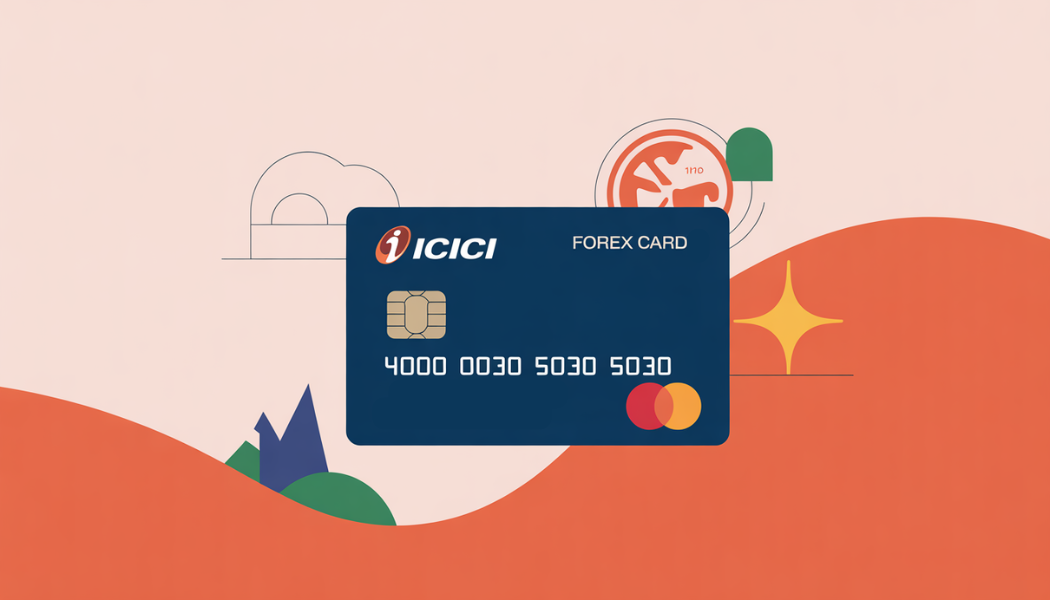
If you’re a first-time user, icici forex card login is less about “signing in to a card” and more about accessing your card controls (balance, wallet transfers, reload/refund actions, PIN changes, e‑commerce enablement, blocking/unblocking) through one of three official routes: ICICI NetBanking, the iMobile app, or the Forex Prepaid Self Care Portal.
For most customers, the smoothest path is:
(a) ensure your card is issued/activated and KYC is complete,
(b) make sure you have working NetBanking credentials (User ID + password) and a registered mobile number for alerts/OTP,
(c) link the Forex Prepaid Card inside NetBanking or iMobile, and then
(d) manage settings such as online/e‑commerce transactions (typically disabled by default) only when needed.
This guide prioritizes primary sources from and . If any UI label differs on your screen, treat the menu paths as “current official naming as published,” and follow the nearest equivalent in your NetBanking/app version (noted where relevant).
Prerequisites for first-time users
First-time success depends on three prerequisites: eligibility/KYC, card activation, and digital access setup (NetBanking + iMobile).
- Documents and KYC basics (why they matter): Banks must verify identity/address using “Officially Valid Documents (OVDs)” under RBI KYC rules (examples commonly include passport, driving license, voter ID, Aadhaar proof, etc.).
For an ICICI Forex Prepaid Card specifically, ICICI’s Travel Card FAQs note that non‑account holders typically submit copies of passport, PAN, proof of address, visa/travel documents (where required), and Form A2, and may need Video KYC if they don’t already have an ICICI savings account.
2. Card activation status (what “activated” means in practice):
ICICI’s official Forex user guide states that cards applied through Internet Banking or iMobile Pay are delivered in an active state, while branch‑issued cards are activated when loaded with the purchased amount/currency.
You can confirm readiness by checking whether the card appears in your NetBanking/iMobile after linking, or by performing a safe, low‑risk check like viewing card details in a digital channel (rather than attempting a transaction first).
3. NetBanking registration and credentials:
ICICI’s NetBanking guidance emphasizes you need a User ID and password, and password generation commonly uses your registered mobile number plus debit card authentication (Grid Card Authentication / GCA in certain flows).
If you repeatedly enter the wrong password, ICICI notes your User ID can be disabled after multiple attempts, so it’s best to set up recovery (“Get User ID / Get Password”) before you urgently need access.
4. Mobile number registration (often overlooked but critical):
RBI’s customer-protection directions require banks to mandatorily register customers for SMS alerts for electronic banking transactions; banks may restrict electronic transactions (beyond ATM cash withdrawals) if a customer does not provide a mobile number.
ICICI’s NetBanking troubleshooting page also highlights that a User ID may be disabled if the mobile number isn’t registered for SMS alerts, and provides an ATM path to register the number (More Options → Register your Mobile).
Step-by-step icici forex card login using NetBanking and iMobile
Official login URLs to start from
Use official entry points (avoid forwarded links in emails/messages).
NetBanking (official info page): https://www.icici.bank.in/personal-banking/ways-to-bank/net-banking
NetBanking login (as linked by ICICI): https://retailnetbanking.icici.bank.in
Forex Prepaid Card login hub (ICICI page): https://www.icici.bank.in/personal-banking/cards/forex-cards/login
Self Care Portal (linked in ICICI user guide): https://inrprepaid.icicibank.com/customer/login.jsp
iMobile official page https://www.icici.bank.in/personal-banking/ways-to-bank/mobile-banking/imobile
ICICI’s NetBanking page explicitly routes “Login to Net Banking” to the retail NetBanking domain, and the Forex Prepaid Card Login page lists NetBanking, iMobile, and an exclusive Self Care Portal as supported ways to manage the card.
icici bank forex card login via ICICI NetBanking
What you need: NetBanking User ID + password, registered mobile number for alerts/OTP, and your Forex Prepaid Card details (card number; passport number is requested during linking).
Process overview: login → link card (first-time) → access Forex/Prepaid card dashboard.
- Sign in to NetBanking
Open the official NetBanking page and use its “Login” route to reach the retail NetBanking login. - Link your Forex Prepaid Card (first-time users)
ICICI’s Forex Prepaid Card Login FAQs provide the linking flow inside NetBanking:
- Log in to NetBanking
- Go to My Accounts → Forex and Forex Prepaid Cards
- Select Link Forex Prepaid Card and choose Self or Close Relative
- If linking for a close relative (parents/spouse/kids), upload relationship proof (example documents are mentioned)
- Enter Forex Prepaid Card number and the cardholder’s passport number
- Enter your registered mobile number and email ID as per your savings account, submit, and note the reference number
- Access card controls after linking
Once linked, you can use Forex/Prepaid card features such as transaction history, reload, wallet transfers, PIN resets, and block/unblock through NetBanking. - Optional but common: enable e‑commerce only if you truly need it
ICICI’s e‑commerce instructions show a specific NetBanking menu path for enabling online usage:
Cards & Loans → Forex & Prepaid Cards → Manage Cards → Transaction Settings.
Screenshot points (capture for your SOP/tutorial):
Capture (a) the NetBanking home header showing your logged-in profile, (b) “My Accounts → Forex and Forex Prepaid Cards,” (c) the “Link Forex Prepaid Card” form (mask card numbers), and (d) “Transaction Settings” screen. These are explicitly referenced in ICICI’s published paths.
icici forex card login via iMobile Pay app
What you need: The iMobile app installed, your registered mobile number available for OTP, and either a Login PIN/biometric setup or NetBanking credentials depending on your activation route.
- Install and register iMobile
ICICI’s iMobile “Steps to use” include: download, register with your registered mobile number and OTP, then set a 4‑digit PIN or biometric login. - Activate/Authenticate iMobile (first-time)
ICICI’s iMobile download/activation guidance notes that first-time authentication can involve NetBanking credentials and/or one‑time debit card grid authentication depending on your selection flow. - Link the Forex Prepaid Card inside iMobile (first-time users)
ICICI’s Forex Prepaid Card Login FAQs specify the iMobile linking menu path as:
- Log in to iMobile
- Go to Cards, Loans and Forex → Forex and Forex Prepaid Cards
- Tap Link Now and choose Self or Close Relative
- Upload relationship proof if it’s for a close relative
- Enter Forex Prepaid Card number and passport number, plus registered mobile/email, submit, and note reference number
- Manage transaction settings (online/e‑commerce)
ICICI’s online transaction instructions list the iMobile menu path:
Cards / Forex / PayLater → Forex Prepaid Cards → Transaction Settings.
Screenshot points (capture for your SOP/tutorial):
Capture (a) the iMobile landing page after login, (b) “Cards, Loans and Forex” category, (c) “Forex and Forex Prepaid Cards” list, and (d) “Transaction Settings.” Menu labels are taken from ICICI’s official instructions and may appear as adjacent synonyms depending on your app build.
Comparison table of access methods
The table below summarizes practical “login/access” routes based on ICICI’s published channels (NetBanking, iMobile, Self Care portal) and operational ATM usage steps from the official Forex card user guide.
| Method | Best for | Required credentials | Typical steps | Pros | Cons |
|---|---|---|---|---|---|
| NetBanking | Full management on desktop; linking card to your bank profile | NetBanking User ID + password; registered mobile for alerts/OTP; forex card details for linking | Log in → My Accounts → Forex and Forex Prepaid Cards → Link/Manage; enable e‑com in Transaction Settings | Detailed controls; good for recordkeeping | Depends on NetBanking access; user ID may lock after failed attempts |
| iMobile (iMobile Pay) | Quick management on phone; on-the-go controls | iMobile Login PIN/biometric + registered mobile; may use NetBanking/debit card authentication during activation | Log in → Cards/Forex → Forex Prepaid Cards → Manage/Transaction Settings | Fast; integrates controls and alerts | App activation can fail if mobile/SMS prerequisites aren’t met |
| ATM (card usage) | Cash withdrawal / balance inquiry while traveling | Physical card + 4‑digit ATM PIN | Insert/tap card → enter PIN → cash withdrawal/balance enquiry | Works without internet; useful abroad | Not a “login” to manage settings; fees/limits vary and ATM operator may add surcharge |
Troubleshooting common login errors and fixes
NetBanking login failures
User ID/password incorrect; User ID disabled after failed attempts:
ICICI’s “Trouble logging in?” page explains that incorrect credentials (case-sensitive password) trigger errors, and entering the wrong password multiple times can disable the User ID; the fix is typically to generate/reset the password online or contact customer care.
“Maximum number of login attempts” or “User ID is disabled / expired”:
ICICI states you can re-enable access by generating your password online; it also notes an operational cause where the User ID may be disabled if your mobile number isn’t registered for SMS alerts, referencing RBI customer-protection expectations.
Browser/session errors (example: FS 5004):
ICICI’s troubleshooting guidance associates certain errors with browser or session issues and suggests clearing cache, restarting the browser, trying another browser/device, and contacting support if it persists.
Forex card not visible in NetBanking after login:
If you can log in but don’t see your Forex Prepaid Card, the most common cause is that it is not yet linked. ICICI’s official Forex Prepaid Card Login page provides the exact linking path under “My Accounts → Forex and Forex Prepaid Cards → Link Forex Prepaid Card.”
iMobile activation and login issues
Can’t activate iMobile or OTP/SMS won’t complete:
ICICI’s iMobile FAQs list pragmatic fixes: ensure the latest app version, use mobile data during activation (not Wi‑Fi/hotspot in the described scenario), and keep sufficient balance for chargeable SMS, while ensuring the SMS originates from the registered mobile number.
Forgot iMobile User ID/password:
ICICI instructs users to tap “Need Help?” under the login button and choose “I want my User ID” or “I want my Password.”
Card/PIN issues that surface as “login” problems
Online transactions not working even after you “logged in”:
ICICI explicitly notes that online/e‑commerce usage may require activation in NetBanking/iMobile Transaction Settings and that online usage can be disabled by default; the Forex user guide also states online transactions are disabled by default and enabled after initial login via iMobile/Internet Banking.
Card disabled due to incorrect PIN attempts:
ICICI’s Forex user guide warns that incorrect PIN attempts can disable the card and that reactivation may require contacting customer care; some ATMs may even retain the card after repeated wrong PIN entries.
Security best practices for icici forex card login
Security is not only personal hygiene—RBI’s digital-payment and customer-protection framework expects banks to run robust fraud controls, and banks rely on customer alerting (SMS/email) and safe authentication practices to limit unauthorized losses.
Use correct, secure URLs and recognize genuine secure sessions:
ICICI’s security notice recommends checking the browser’s lock/padlock indicator (not a fake icon inside a webpage) and verifying HTTPS when you are about to enter credentials; it also warns against responding to emails asking for confidential banking security details.
Never share OTP/PIN/CVV/passwords—even with “bank staff” claims:
ICICI’s Safe Banking content states banks will never ask for OTP, PIN, CVV, passwords, or card details, and emphasizes avoiding unknown links and using trusted devices.
Keep your Forex card’s operational security tight:
ICICI’s Forex user guide advises not disclosing PIN, blocking the card immediately if lost via Self Care portal or customer care, not keeping replacement and primary cards together, and checking ATMs for suspicious devices (skimmers).
Enable online transactions only when needed (then disable again):
Because online/e‑commerce transactions require explicit activation paths in NetBanking/iMobile, treat “Transaction Settings” as a security control rather than a one-time setup. This approach aligns with the idea of reducing your attack surface—especially if you’re traveling and using unfamiliar networks/devices.
Fees and limits that affect login-related usage decisions
While “login” itself is free, your post-login actions (reload, wallet transfers, withdrawals, cross-currency spends) are governed by fees, limits, and regulatory caps.
Card usage boundaries you should know early:
ICICI’s Travel Card FAQ states the Forex Prepaid Card is accepted globally where or are accepted, but it cannot be used in India, Nepal, or Bhutan under the usage rules for prepaid foreign exchange cards.
Core charges (published schedule):
ICICI’s official fee schedule states: POS/online transaction fee is NIL (in the same currency wallet), cross-currency fee is 3.5% + GST, wallet-to-wallet transfer fee is 2.5% (from destination wallet), cash@POS is 0.5%, lost card replacement (international location) USD 20, and uncapped ATM withdrawal fee 1% (where applicable).
ICICI’s Travel Card FAQs also confirm cross-currency usage attracts 3.5% + GST and mentions ATM withdrawals incur currency-wise charges per schedule of charges.
Daily ATM withdrawal limits (wallet-based):
ICICI publishes a per-currency daily ATM cash withdrawal limit along with withdrawal and balance inquiry fees (for example, USD wallet daily limit shown as USD 2,000 in the schedule table, with currency-specific fee lines). Always check the currency you actually loaded.
Online reload/buy limits (practical constraint for travelers):
ICICI’s “Buy/Reload” page and Travel Card FAQs state the maximum transaction limit per day for online buying/reloading of currency/Forex Prepaid Card is ₹150,000 (including taxes).
Regulatory cap context (when your use is funded from India):
RBI’s LRS FAQ allows resident individuals to remit up to USD 250,000 per financial year (April–March) for permissible current/capital account transactions, with explicit prohibitions including remittances for margins/margin calls to overseas exchanges and for trading in foreign exchange abroad.
This matters to “forex card” usage because card loading and overseas payments are ultimately tied to what is permissible for the remitter’s profile and purpose under FEMA/LRS, even if the card UX feels like a simple consumer wallet.
Tips for forex traders using a forex card responsibly
A forex card is a spending and cash-access instrument; forex trading is speculative exposure to currency price movements. Mixing the two without understanding regulatory constraints and risk can create operational and compliance problems.
Use the card for operational travel and international payments, not as a workaround for restricted trading flows:
RBI’s LRS FAQ explicitly lists prohibitions such as remittances for margin calls and for trading in foreign exchange abroad. If you are a forex trader, treat this as a red flag: broker funding methods and permitted purposes can differ sharply by jurisdiction and by transaction type.
If you trade, remember the risk profile is fundamentally different from card usage:
Retail forex/CFD regulators repeatedly warn that leveraged FX/CFD trading can lead to rapid losses and, in some structures, losses beyond initial deposits (risk disclosure statements emphasize this clearly).
For forex traders, the best “card strategy” is therefore operational: secure payments, predictable travel spending, and controlled currency exposure in your trip budgets—not leveraged speculation.
Practical optimization tactics (high value, low drama):
ICICI’s schedule explains Dynamic Currency Conversion (DCC) and explicitly advises choosing “pay in local currency” / “accept without conversion” to avoid extra conversion charges. This is one of the most impactful habits for frequent travelers attending trading conferences or managing overseas business expenses.
Treat “Transaction Settings” as a trading-style risk control:
Just as traders reduce exposure when not in a position, you can reduce payment exposure by enabling e‑commerce only when needed (Transaction Settings paths are published for both NetBanking and iMobile).
Plan around operational limits:
If you need to reload around time-sensitive travel, remember ICICI’s published online buy/reload daily cap (₹150,000 including taxes). Advanced planning is especially important if you’re traveling for “forex trading” education/events and expect high upfront hotel deposits or longer stays.
Conclusion
For first-time users, icici forex card login becomes straightforward once you treat it as a three-part setup: finish KYC and confirm your card is activated, secure your digital access (NetBanking/iMobile with a registered mobile number), and then link your Forex Prepaid Card so it appears in your dashboards. From there, you can confidently control e‑commerce activation, PIN management, reloads, and security actions like block/unblock—while staying mindful of published fees, daily limits, and RBI’s broader remittance rules that can shape what “use” is permissible in practice.
FAQ
Can I do icici forex card login without an ICICI savings account?
Yes—ICICI provides a dedicated Self Care Portal for Forex Prepaid Cards, and its Travel Card FAQs describe a non-account-holder application route that includes document submission and verification (including Video KYC when applicable).
Where exactly is the Forex card option inside NetBanking?
ICICI’s Forex Prepaid Card Login page states: My Accounts → Forex and Forex Prepaid Cards → Link Forex Prepaid Card (for linking). For certain controls like e-commerce activation, ICICI publishes: Cards & Loans → Forex & Prepaid Cards → Manage Cards → Transaction Settings.
I forgot my NetBanking User ID or password—what is the official fix?
ICICI’s troubleshooting guidance directs users to retrieve User ID and generate/reset password through official flows, and notes passwords are case-sensitive and repeated wrong entries can disable the User ID.
Why is my forex card “logged in” but online payments still fail?
ICICI states that online/e-commerce usage can require activation via Transaction Settings in NetBanking/iMobile, and the Forex user guide notes online transactions are disabled by default until enabled after initial login.
Is a forex card recommended for forex trading deposits?
A forex card is primarily designed for travel spending and international purchases. RBI’s LRS FAQ lists prohibitions including remittances for margins/margin calls to overseas exchanges and trading in foreign exchange abroad, so funding trading activity can be restricted depending on structure and jurisdiction. Always align your funding method with local rules and the broker’s permitted payment channels.
About Author